
Tutor Scheduling Software: What It Is and How to Choose
A tutoring business can look calm on the surface and still run on chaos underneath. The morning inbox fills with reschedule requests, a parent calls because a lesson disappeared from the calendar, a tutor asks which room to use, and someone realizes the 4 p.m. slot was given to two people at once. By lunch, the admin team has sent reminder texts by hand, chased a payment, and rebuilt a broken schedule that should've been automatic.
That kind of scramble is exactly why tutor scheduling software has become more than a booking convenience. In a tutoring center, the schedule is the operating system for students, tutors, parents, rooms, and payments. When that system is fragile, everything around it gets expensive in time, accuracy, and trust.
The Monday Morning Booking Chaos
A multi-tutor center rarely breaks in one dramatic moment. It breaks in small, ordinary ways, a whiteboard full of crossed-out names, a spreadsheet nobody fully trusts, and an email thread where three people are trying to confirm the same lesson. One parent thinks a class moved, one tutor thinks it stayed, and the front desk is stuck reconciling versions of reality.

Where the hidden cost shows up
The damage goes beyond embarrassment. A late-arriving student misses the opening of a lesson, a tutor spends five minutes checking whether a room is free, and an owner loses the hour that should've gone to curriculum review. Even a simple reschedule can turn into a chain of manual work, message the parent, update the tutor, adjust the room, and then remember to send the reminder again.
Practical rule: if a schedule change has to be re-entered in more than one place, the business is already paying for a system problem.
That's why the category matters. Tutor scheduling software replaces a fragile patchwork with a single live source of truth, so students, tutors, parents, and admins all see the same booking state at the same time. In a tutoring business, that's not a nice-to-have feature. It's the foundation that keeps recurring lessons, multi-location operations, and last-minute changes from collapsing into admin noise.
What Tutor Scheduling Software Actually Does
Think of tutor scheduling software as the air traffic control tower for a tutoring operation. It doesn't just hold calendar events, it coordinates who can teach, where the session happens, which student belongs in the slot, and what downstream actions should follow. The category matters because tutoring is rarely a single one-off appointment, it's recurring, multi-party, and often tied to billing and attendance.
The logic behind the booking page
A useful system starts by syncing availability from the tutor's personal calendar and then layering business rules on top of it. That means working hours, breaks, time-off, buffers between lessons, and rules for recurring weekly sessions all have to live in the same engine. Academic scheduling research uses optimization methods such as integer linear programming, maximum matching, and the Hungarian algorithm to keep assignments conflict-free while still respecting preferences, which is a good clue that this is really a scheduling engine, not just a visual calendar layer, as described in academic scheduling research.
What sits behind the interface
Behind the front-end booking page, the software usually handles three jobs at once. First, it matches demand to availability, which can mean routing a student to a qualified tutor or suggesting an open slot that fits the branch, room, or online link. Second, it automates the follow-up work, confirmations, reminders, and calendar updates. Third, it connects scheduling to billing and records, so the lesson doesn't just happen, it gets tracked, paid for, and reviewed.
A scheduling tool becomes valuable when it knows the difference between a hard rule and a soft preference. Double-booking is forbidden. A preferred time slot is negotiable.
That's the distinction founders, designers, and developers need to keep in mind. A generic booking widget answers one question, “What time do you want?” Tutor scheduling software answers several at once, “Who can teach, where can the lesson happen, what should happen if the slot changes, and how do reminders and payments stay in sync?”
Core Features and Daily Workflows
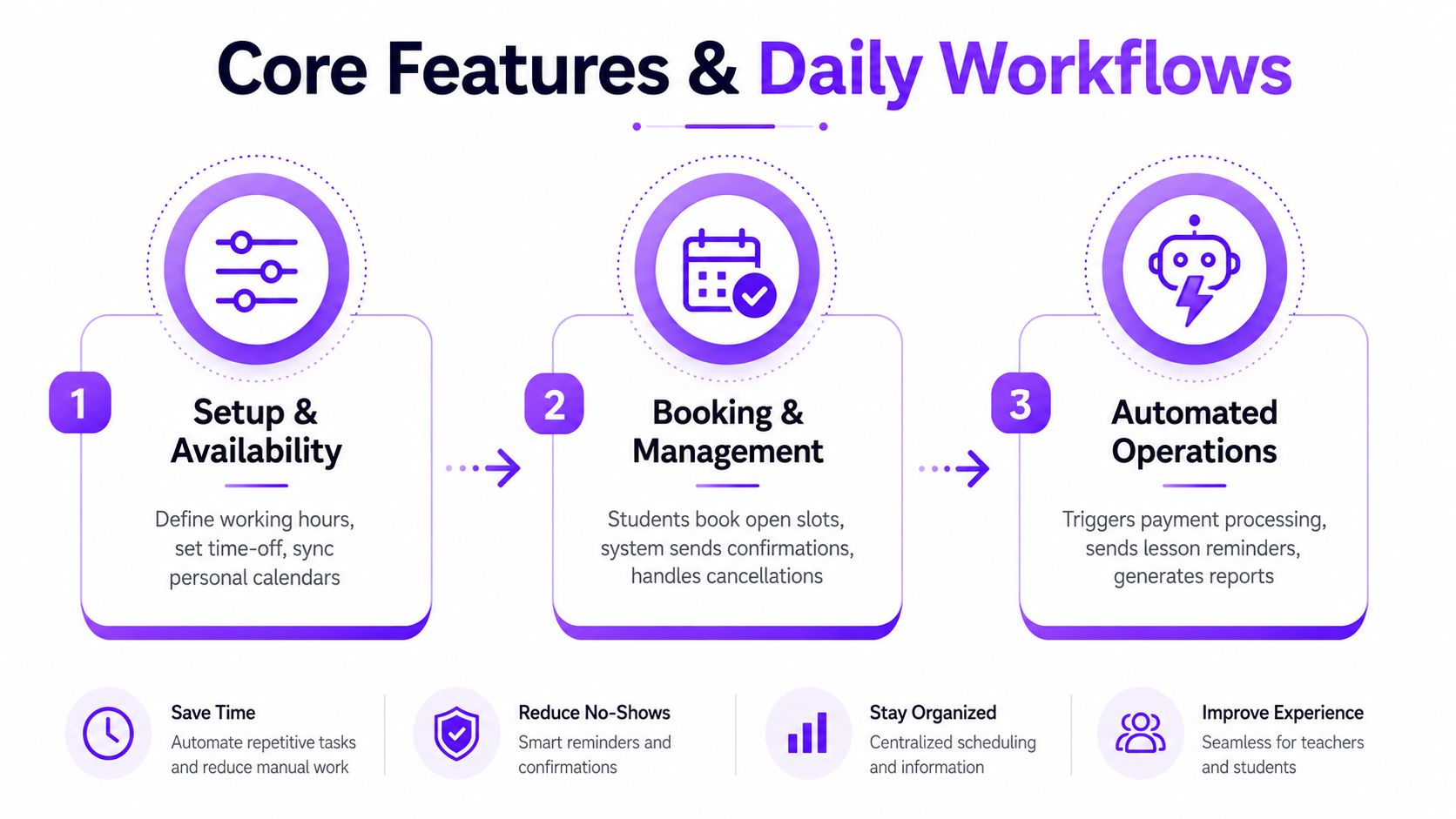
The strongest products don't present features as a flat checklist. They organize work the way a tutoring team runs it, starting with availability, moving into booking, and ending with the operational tasks that keep the business moving. That structure matters because an admin doesn't think in product modules, they think in daily tasks.
Availability, booking, and session control
Availability management is the first filter. Tutors set working hours, time off, recurring patterns, and buffer rules so the system can prevent double-bookings before they happen. That is especially important in centers where one tutor teaches multiple levels or splits time across branches, because a schedule that looks open on paper may already be blocked by travel, prep, or another class.
Online booking is the next layer. Some teams let students self-serve from a portal, while others require tutor approval for certain subjects, package types, or high-demand slots. Waitlists help here, because a canceled lesson can be filled quickly instead of going dark for the rest of the day.
Resource coordination and recurring work
A tutoring business also has to manage rooms, branches, and video links. That means a 4 p.m. booking is not just a time, it might be a specific classroom, a Zoom room, or a hybrid setup with one student online and another on-site. Calendar integrations with Google Calendar, Outlook, and video tools reduce the risk of someone teaching from the wrong location or joining the wrong link.
Recurring lessons are another essential workflow. Weekly and bi-weekly sessions, make-up credits, attendance tracking, and lesson notes all belong in the same session record, because they're part of the student's continuity. A system that remembers attendance and notes saves the admin from rebuilding context every time a family reschedules.
Automation that supports the business
The supporting layer is where scheduling turns into operations. Automated reminders help reduce missed sessions, and the reminder design matters because a prospective outpatient study found no-show rates of 13.6% with staff reminders, 17.3% with automated reminders, and 23.1% with no reminder across 13,505 appointments. For tutoring teams, that's a strong reason to combine reminders with self-booking and slot recycling logic, as reported in the American Journal of Medicine00108-7/fulltext).
Payment capture, invoicing, package credits, and reporting close the loop. When those pieces are connected, a lesson doesn't just enter the calendar, it enters the financial record and the utilization dashboard. That's why the best systems feel less like software for booking and more like operational infrastructure for the whole tutoring business.
Benefits for Tutors and Tutoring Businesses
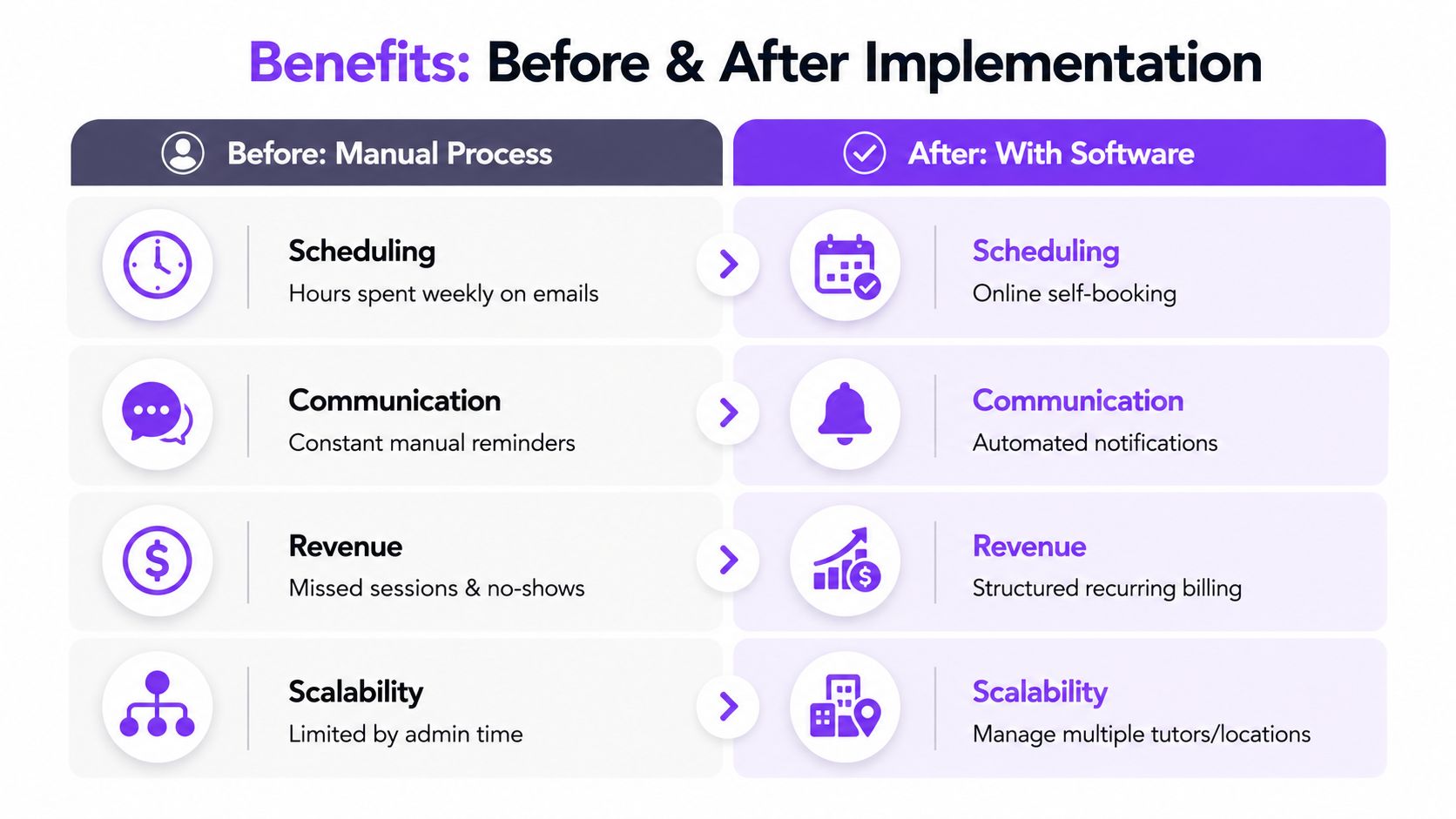
The benefits show up differently depending on the size of the operation. A solo tutor wants fewer emails and faster payment. A growing center wants fewer conflicts, better visibility, and less time spent piecing together what happened last week. The software is the same category, but the value lands in different places.
For solo tutors
An independent tutor usually feels the pain in small interruptions. Each booking email, reminder text, and payment follow-up breaks the teaching day into fragments. With the right system, the tutor can let students book open slots, send confirmations automatically, and collect payment when the session is reserved instead of after a long back-and-forth.
There's also a trust benefit. Parents are more comfortable when the booking flow is clear, the reminder arrives on time, and the cancellation rules are visible before a lesson starts. That reduces confusion and makes the tutor look organized, even if the business is still small.
For growing centers
A center with multiple tutors and recurring packages needs more than convenience. It needs a way to see who is teaching what, where each student sits in the pipeline, and whether capacity is being used well. When a front desk team can route bookings, track attendance, and follow package credits in one system, the business spends less time chasing data across tools.
A good rule for operators: if the same lesson data has to feed scheduling, billing, and payroll, it should be entered once and reused everywhere else.
That's where the day changes. A Monday that used to start with spreadsheet repairs becomes a Monday where confirmations, routing, and reschedules happen automatically. The admin team stops acting like a human sync engine, and tutors stop discovering conflicts after the fact.
How Tutorbase Can Help
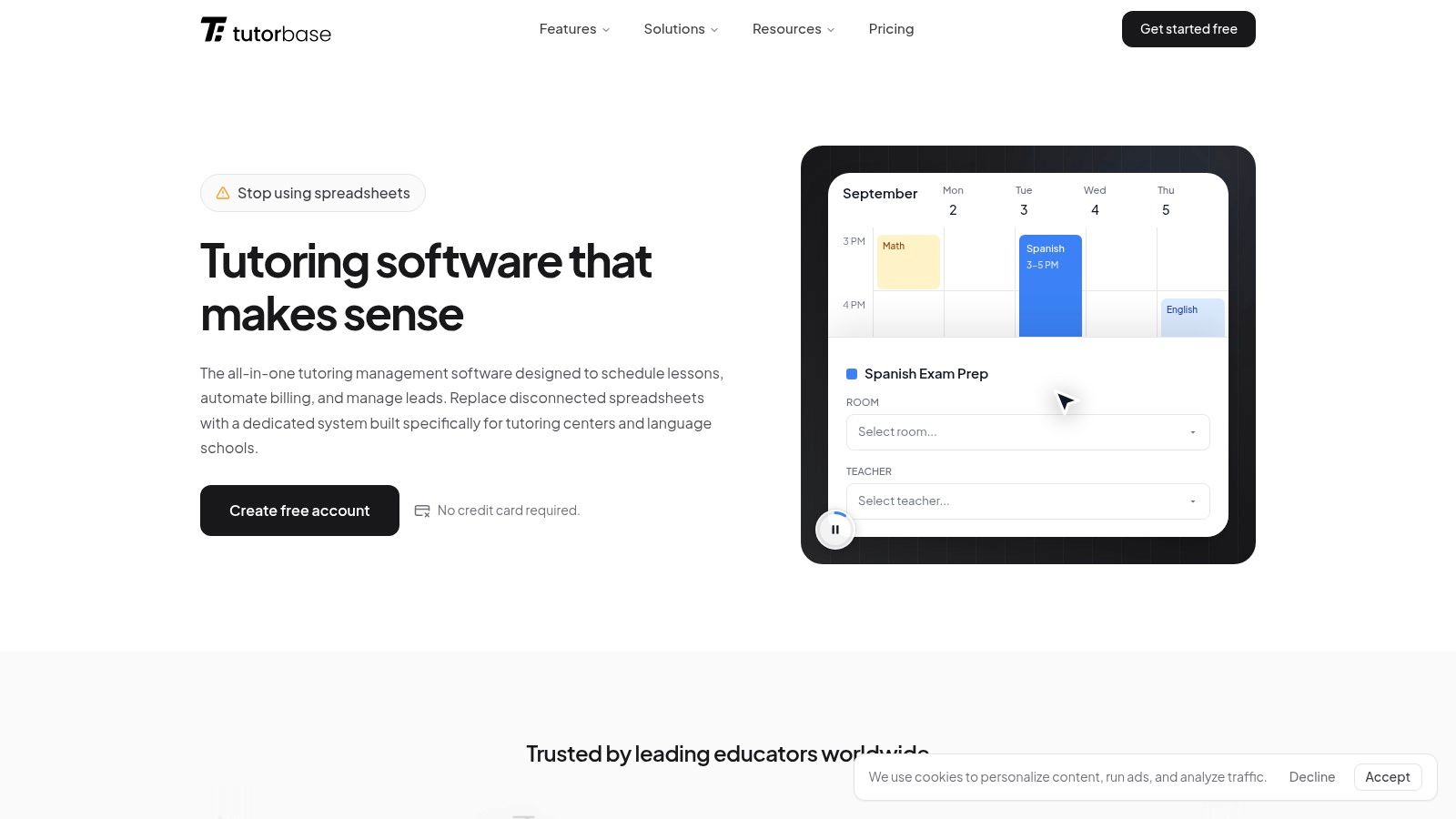
For centers evaluating a more operationally complete platform, Tutorbase is built for tutoring businesses that have outgrown basic booking tools and spreadsheets. It positions itself as AI-powered tutoring management software for centers, language schools, and similar operations that need scheduling, billing, payroll, and room management in one place. A useful starting point is its tutor scheduling software overview for tutoring centers.
Where it fits best
Its strongest fit is for teams that need more than appointment booking. Tutorbase emphasizes slot-finding for new bookings, conflict detection, recurring series, room tracking, pricing policy packs, billing from attendance, and payroll logic that can handle more than a basic hourly model. It also supports multi-branch management, lead capture, attendance statuses, hybrid classes, and teacher notes, which matters when the business is juggling multiple service types at once.
The decision question is simple. If a tutoring company only needs a polished booking page, a lighter tool may be enough. If it needs the schedule to drive invoices, credits, payroll, branches, and room usage, a platform like Tutorbase belongs on the shortlist.
A quick comparison lens
Feature area | Tutorbase | Simpler scheduling tools |
|---|---|---|
Slot matching and conflict detection | Strong fit | Often manual |
Billing from attendance | Native workflow | Usually separate steps |
Multi-branch room management | Built in | Limited or absent |
Prepaid credits and packages | Supported | Often partial |
Payroll complexity | Designed for it | Basic or missing |
That comparison is the key decision filter. The best choice is the one that matches how messy the operation is today, and how much more complex it's going to get next quarter.
How to Choose the Right Tool
Selection gets easier when the decision is broken into four buckets. Pricing, integrations, user experience, and scalability each matter for a different reason, and the wrong tool usually fails in one of those areas long before it fails in all four. That's why the safest purchase is the one that fits both today's workflow and the next stage of growth.
Pricing and integrations first
Pricing transparency should be checked before the demo gets too persuasive. Solo tutors usually care about whether the cost is per tutor, per student, or tied to a free tier with limits that disappear later. Growing centers should watch for hidden fees around extra users, additional branches, or premium integrations, because those costs can punish growth.
Integrations deserve the same scrutiny. Google Calendar and Outlook keep calendars honest, Stripe or PayPal handle payments, Zoom or similar tools support virtual lessons, and CRMs or LMS platforms keep the student record connected. Developers should also ask whether the product has API access and webhook support, because that decides whether the scheduling layer can be embedded cleanly into a wider stack.
Experience and scale
User experience is the difference between a tool that gets adopted and one that gets resisted. If parents can't understand the booking flow, if tutors can't update availability from mobile, or if admins need training to find a recurring lesson, the product creates friction instead of removing it. Simplicity matters even more in education, where staff and families may interact with the system only once or twice a week.
Scalability is the last filter, but it's often the deciding one for growing businesses. Multi-branch support, role permissions, and API access matter when the schedule stops being one shared calendar and becomes a network of locations, teachers, and service types.
Criterion | Solo Tutors | Growing Centers | Multi-Branch Operations |
|---|---|---|---|
Pricing clarity | Needs simple monthly pricing | Needs predictable per-user or per-location costs | Needs no surprise fees for branches or roles |
Calendar and payment integrations | Google Calendar, Stripe, Zoom | Strong two-way sync and invoicing | Cross-location sync and payment routing |
Ease of booking | Fast self-serve flow | Parent and tutor portals | Role-based workflows across teams |
Scalability | Enough for a single business | Can handle several tutors and packages | Must support branches, permissions, and APIs |
Selection shortcut: if the platform can't explain how it handles branches, permissions, and recurring lessons, it's probably built for bookings, not operations.
Implementation and Integration Tips
Rolling out scheduling software is less about flipping a switch and more about reducing moving parts one at a time. Calendar sync should be set up first, then payments, then video links, then the import of student and parent records. That order keeps the team from debugging five problems at once.
What developers should watch closely
Two-way sync with Google and Outlook is the first technical checkpoint. If a tutor blocks time in a personal calendar, that change should flow into the scheduling system, and if an admin books a lesson in the system, it should appear in the tutor's calendar without manual copying. Payment gateway onboarding should come next, along with clear rules for when invoices are created and when receipts are issued.
Webhook design matters as soon as the product leaves a simple setup. Events such as booking.created, booking.rescheduled, and payment.succeeded are the kinds of triggers a team usually needs for downstream systems, especially if it wants attendance, CRM updates, or email automation to stay aligned. Idempotency keys are important too, because retries happen, and the same booking should not generate duplicate records.
The traps that create support tickets
Timezone handling is a common source of bad bookings, especially when tutors, parents, and branches sit in different regions. Daylight saving changes can also create silent errors if the calendar logic doesn't normalize time properly. Rate limits on third-party calendar APIs can cause delays during heavy booking periods, so it helps to test load patterns before launch.
A clean rollout usually looks like this:
Stage the setup: test calendars, payments, and reminders in a non-live environment first.
Pilot a small tutor group: use a few tutors before migrating the full team.
Migrate legacy bookings carefully: move only the bookings that still matter operationally.
Check notification paths: confirm that tutors, parents, and admins all receive the right updates.
That implementation discipline is what turns scheduling software from “another tool” into infrastructure. For product teams, it also creates better landing pages and templates, because the product story becomes concrete, not vague.
Landing Page and Template Ideas for Templyo
A tutoring software landing page works best when it leads with the operational pain, not a feature list. A visitor should see the mess of recurring lessons, branch coordination, and parent communication in the first screen, then immediately see how the product restores order. That's the structure that gives designers and SaaS builders the most conversion power.
A hero that shows the workflow
A strong hero section usually pairs a scenario-driven headline with a live booking calendar mock, a grid of tutor avatars, and a pricing strip that compares plans or service tiers. The headline should speak to a real outcome, such as fewer double-bookings or simpler recurring scheduling, while the visual shows the schedule in motion rather than a static dashboard. For education brands, a soft but confident color system tends to work best, because it keeps the interface calm without looking childish.
The page should then break into modular sections. One block can explain recurring lessons, another can show multi-branch operations, and a third can focus on reminders, billing, or payroll. That modularity makes the page easier to reuse across product launches, service pages, and integration pages without rebuilding the whole layout.
Templates worth shipping first
A feature deep-dive template should work well for founders who need to explain how the software handles a specific workflow. An integration showcase template should map calendar sync, payments, and video links in a way that feels concrete rather than technical. A self-serve booking page template should simplify the student journey and make it obvious how a session gets reserved.
For teams looking for a practical starting point, the Bookease template is a useful reference point for a booking-first structure that can be adapted to tutoring. It's especially helpful when the goal is to turn a scheduling concept into something a parent or tutor can understand quickly.
A/B testing should focus on the hero first. An outcome-led version may perform better for owners, while a feature-led version may help technical buyers. A calculator widget that estimates hours saved per tutor per month can also anchor the value in a way that feels tangible, even before a trial starts.
A conversion-ready tutoring SaaS page should include these sections:
Hero with a live workflow mock
Recurring lesson and branch management blocks
Integration strip for calendars, payments, and video
Proof or credibility section
Pricing or plan comparison
Trial signup or demo CTA
Bringing It All Together
The simplest way to evaluate tutor scheduling software is to filter it through three questions. Does it cover the core workflows, does it integrate with the rest of the stack, and does the pricing scale with the business instead of punishing growth? If the answer is yes across those three, the tool is worth a serious look.
Independent tutors should start small and test the booking experience with a free trial. Growing agencies should map calendar, payment, and CRM integrations before buying. SaaS designers can move faster by building around a template that shows the booking flow clearly from the first screen.
The category is also moving toward smarter slot suggestions, automated rescheduling, and embedded payments across in-person and online lessons. That makes the decision today even more important, because the right platform won't just solve booking friction. It will become the operational layer the business depends on next. If a team is planning a new tutoring product or a redesign of an existing one, the next step is to turn this framework into a Templyo page, test the booking narrative, and then validate it with real parents, tutors, and operators before launch.


